
GTA 6 Is Two Weeks Out: The 212GB Preload, the Traffic AI Tell, and a Launch Economy Checklist
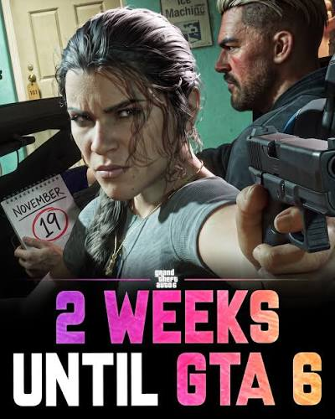
GTA 6 unlocks in less than two weeks, and Rockstar has just laid out the preload schedule, the file size, and the physical release arrangement all at once. If you haven’t started clearing your drive, this is the last window.
Preload Opens November 10 — and 212GB Is Only the Starting Point
Digital preloading for PS5 begins at midnight local time on November 10, while Xbox Series X/S opens at 12:00 a.m. GMT the same day. Boxed code-in-a-box versions ship from retailers starting November 12, but there’s no disc inside—just a download code. Physical buyers still need the network bandwidth and the storage space.
Rockstar’s official preload size is “up to 212GB, depending on the device.” That’s just the launch build. Look at GTA V’s trajectory—from 16–20GB in the PS3 era to over 110GB today with GTA Online updates—and GTA 6 crossing 300GB during its update cycle is not alarmism. If you’re not on a 2TB PS5 Pro, the highest-value move this week is to move finished games you won’t reopen to an external drive or delete them outright.
The Tell in That New Screenshot: Traffic AI No Longer “Every Car for Itself”
The bridge screenshot Rockstar released in its latest vlog has one easy-to-miss difference from the same stretch in the extended gameplay: dynamic roadblocks have appeared on the inbound lanes, part of the traffic is being diverted through an outbound lane, and NPC vehicles are performing an orderly “zipper merge” when lanes collapse.
That suggests GTA 6’s traffic system may have evolved from GTA 5’s “each car calculates its own path” into a dynamically scheduled road network with global logic. RDR2 had something adjacent—bridges you blew up would be repaired later, certain doors in Valentine got barricaded after bar fights—but those were scripted and delayed. If GTA 6 can make this a real-time dynamic event, the open world’s “alive” factor takes a step up.
For players, the practical meaning is this: Leonida’s roads are no longer just a commuting backdrop. Traffic jams, accidents, and temporary closures can realistically disrupt your route while you’re rushing a mission or running cargo. In the launch window, don’t plan routes too rigidly—leave buffer time for traffic events.
PS5 Pro Enhanced Is Confirmed; 60fps Is Not
The PlayStation Store page for GTA 6 does carry the PS5 Pro Enhanced tag, so PSSR upscaling support and enhanced ray tracing are essentially confirmed. But technical analyses from Digital Foundry and others have repeatedly pointed out that GTA 6’s bottleneck is the CPU-side open-world simulation load, and the PS5 Pro’s CPU uplift over the base model is too small to double 30fps into 60fps. The more realistic expectation: on PS5 Pro, higher resolution and a steadier 30fps, with PSSR improving clarity and ray-tracing quality; if the game offers a 40fps mode paired with a 120Hz display, the experience lands somewhere in between.
That’s not a reason to skip the Pro, but if your core demand is “60fps at launch,” no official information currently supports that expectation. Waiting for Rockstar’s final performance-mode clarification before launch is safer than making any hardware decision now.
Preorder Numbers Are Already Closing In on GTA V’s Day-One Record
Sensor Tower tracking data (as of November 3) puts GTA 6 digital preorders at roughly 7.71 million units, with estimated revenue of **$751 million**, about 74% of it on PS5. That’s less than $50 million short of the $800 million revenue record GTA V set on its first day in 2013—and GTA 6 hasn’t even unlocked yet.
One background detail matters: the figure does not include actual physical-channel sales and only reflects digital preorders. In other words, the real launch-window volume is likely further ahead than that number suggests. For players planning to stay long-term, the launch-week economy rhythm matters more than the preorder number—the pricing, mission rewards, and asset-unlock pace in the opening phase will directly shape how the early game feels.
Launch Economy Prep: If You Plan to Run Leonida Seriously
Rockstar hasn’t fully detailed how GTA 6’s single-player economy connects to the online ecosystem. But based on GTA 5 and GTA Online’s evolution, GTA$ earning efficiency is usually low at launch, while the barriers for upgrades, assets, and later content gradually rise. For players who don’t want to spend the first two weeks grinding repetitive money methods, getting familiar with third-party GTA 6 Money options in advance is a reasonable prep step—provided you know what you’re comparing.
Buying GTA 6 Money currently has no Rockstar-endorsed channel, and third-party platforms vary widely in service quality, delivery method, and risk controls. If you’re putting MMOEXP on your comparison list, it at least offers a framework you can check item by item: filter by platform (PS5 / Xbox Series X|S), choose by amount tier, and request custom quantities. Treat it as a reference point rather than a default option—use its pricing and delivery notes to judge whether other channels are reasonable, and once your needs are confirmed, you can go straight to Buy GTA 6 Money at the MMOEXP online store to place the order.
To be clear: GTA 6 launches only on PS5 and Xbox Series X|S—no PC. Third-party money services deliver fundamentally differently on consoles than on PC, so confirm platform matching before ordering, and write delivery time, method, and after-sales terms into the order communication rather than looking only at the listed price.
What to Do in the Final Two Weeks
Before preload opens on November 10, free up the space, calibrate your performance expectations, and settle your launch economy strategy. GTA 6’s launch volume will guarantee that the first few days of online discussion are full of noise—traffic AI details, frame-rate disputes, and money-efficiency arguments will all blur together. What keeps you from wasting time isn’t chasing every leak and rumor; it’s having your own checklist clean before unlocking.